Digital Signage Software for Roku

Quickesign offers full widget support for Roku. Other providers offer a scaled-back feature set. Quickesign gives you everything: weather, Instagram, YouTube, QR codes, multi-zone layouts, and more.

Plans start at $5/month per screen (billed annually) for simple fullscreen displays. Works on all Roku streaming devices and Roku smart TVs.

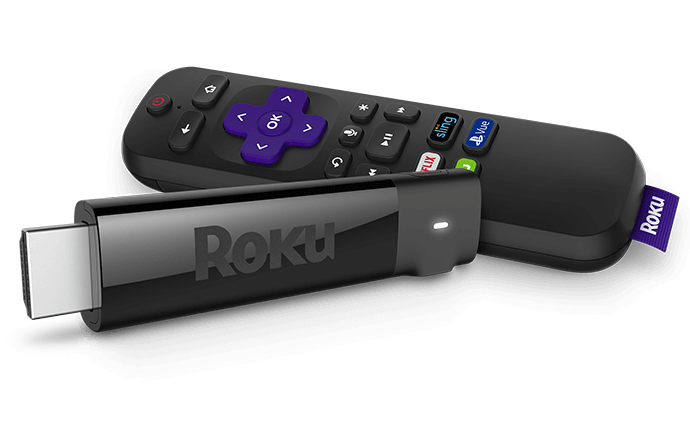
Roku Streaming Stick and remote used for Quickesign digital signage on a TV
Works on
Roku Express Roku Express 4K+ Roku Streaming Stick 4K Roku Streaming Stick 4K+ Roku Ultra LT Roku Ultra Roku Streambar Roku Streambar Pro Roku Select Series TV Roku Plus Series TV Roku Pro Series TV TCL Roku TV Hisense Roku TV Insignia Roku TV Sharp Roku TV Philips Roku TV Element Roku TV Westinghouse Roku TV Onn. Roku TV RCA Roku TV JVC Roku TV

Why use Quickesign Digital Signage software for Roku?

Quickesign is a digital signage CMS built specifically for Roku. It runs on every Roku streaming device and Roku smart TV, and is the only major signage platform with full widget support on Roku. That includes live weather, Instagram and Facebook feeds, YouTube video, smart QR codes, and multi-zone layouts.

Plans start at $5 per screen per month billed annually for simple fullscreen displays, with a free trial and no credit card required. Total startup cost is among the lowest in digital signage: a $30 - $50 Roku device plus the subscription. By comparison, OptiSigns (from $9/mo) supports Roku but without dynamic widgets or autostart, and Yodeck (from $8/mo) has no Roku app at all. Quickesign also provides a free QESIGN screensaver app and TV Control companion app that keep displays running unattended.

Why is Roku good for digital signage?

Roku is one of the most affordable and reliable platforms for digital signage. Roku sticks and Roku smart TVs start at around $30, require no proprietary signage hardware, and are designed to run continuously. This makes them well-suited for unattended displays.

Hardware is available same-day at Walmart, Amazon, Target, and most electronics retailers, and a failed device can be replaced locally for $30 - $50. Roku devices also receive regular software updates and have a long track record of stable, always-on performance in commercial settings.

Who Uses Quickesign on Roku?

Quickesign on Roku is used by restaurants, retail stores, churches, schools, real estate offices, corporate offices, healthcare practices, gyms, hotels, museums, and nonprofits.

Restaurants & Cafes

Put your menu on any TV and update it from your phone.

Churches & Schools

Post announcements and event schedules without needing IT help.

Healthcare Waiting Rooms

Give patients something useful to look at while they wait.

Gyms & Fitness Centers

Post class schedules, highlight membership deals, and pull in your Instagram feed.

Hotels & Hospitality

Welcome guests, list amenities, and point people toward local spots worth visiting.

Museums & Nonprofits

Professional displays on a tight budget.

How Do You Set Up Roku Digital Signage?

Setting up Roku digital signage takes five steps and under 30 minutes: get a Roku device, install the Quickesign app, create a free account, disable Roku's Bandwidth Saver, and publish your content.

1.) Get a Roku Device

Any Roku stick, Roku Express, or Roku smart TV works. Available at Walmart, Amazon, Target, and most electronics retailers for $30 - $80.

2.) Install Quickesign

On your Roku, search the Channel Store for "Quickesign" or add it at my.roku.com/add/esign.

3.) Create Your Account

Sign up for a free trial at quickesign.net/signup. No credit card required. Takes about 2 minutes.

4.) Disable Bandwidth Saver

On your Roku go to Settings > Network > Bandwidth saver and turn it Off. This prevents Roku from interrupting your display.

5.) Build Content and Go Live

Log in to your dashboard, add your images, widgets, or videos, pair your Roku device, and your display goes live. Detailed setup guide ›

Roku Digital Signage Pricing

All plans work on Roku. Start free, no credit card required.  See price calculator

Quickesign plan comparison for Roku digital signage: features included in the Light, Standard, Pro, and Enterprise plans
Feature
Light
Simple Fullscreen Displays
$5/mo/screen
when billed annually
Standard
Multizone Layouts, Content
$8.25/mo/screen
when billed annually
Pro
Useful Apps & Widgets
$12.42/mo/screen
when billed annually
Enterprise
For Companies of All Sizes
$16.58/mo/screen
when billed annually
Cloud Based Content YesYesYes
Slide Shows YesYesYes
Vertical Layout Support YesYesYes
Automatic Layout Changes YesYesYes
Full Screen Videos YesYesYes
Full HD 1920×1080 Display YesYesYes
Organize Displays by Location YesYesYes
Scheduled Slide Changes YesYesYes
TV Control Companion App YesYesYes
Multi-Zone Layouts NoYesYes
Digital and Analog Clocks NoYesYes
Scrolling Text, MP3 Audio NoYesYes
PowerPoint and PDF Support NoYesYes
Canva Widget NoYesYes
Quickesign Design Tools NoYesYes
Quick Check (fast update) NoYesYes
Quick Text Caption NoYesYes
Weather and News Widgets NoNoYes
Facebook, Instagram Feeds NoNoYes
YouTube Videos NoNoYes
Calendar / Google Docs NoNoYes
Multiple Layouts Per Device NoNoYes
Alerts (weather, emergency…) NoNoYes
Smart QR Codes NoNoYes
Event List Widget NoNoYes
Famous Quotes NoNoYes
Enterprise Device Support NoNoYes
Multi-User Accounts NoNoYes
User Level Permissions NoNoYes
Device Monitoring Tools NoNoYes
Text Alerts NoNoYes
Large Video Support NoNoYes
Additional Reports NoNoYes

Quickesign vs. OptiSigns vs. Yodeck for Roku?

Quickesign is the only one of the three with full widget support, multi-zone layouts, autostart, and a screensaver app on Roku. Yodeck has no Roku app, and OptiSigns' Roku app does not support dynamic widgets or autostart.

Comparison of Quickesign, OptiSigns, and Yodeck on Roku support, pricing, and value
Feature
Quickesign
from $5/mo (annual)
OptiSigns
from $9/mo (annual)
Yodeck
from $8/mo (monthly)
Roku Support
Roku app in Channel Store OptiSigns: Yes Yodeck: No
App autostart on Roku
(using Quickesign TV Control)
OptiSigns: No Yodeck: No
Full widget support on Roku
(weather, social feeds, YouTube, QR codes…)
OptiSigns: No Yodeck: No
Multi-zone layouts on Roku OptiSigns: No Yodeck: No
Screensaver OptiSigns: Yes Yodeck: No
Pricing & Value
Starting price (annual billing) $9/mo/screen $8/mo/screen
Annual billing savings ≈10% off monthly Not published
Volume discounts OptiSigns: No Yodeck: No
Free trial OptiSigns: Yes Yodeck: Yes

Pricing verified June 2026. OptiSigns Roku limitations per OptiSigns' support documentation.

What Quickesign Customers Say

See all reviews on Capterra  |  See all reviews on G2

★★★★★ 5/5

Turnkey Digital Display Solution for Our Real Estate Office

Our overall experience with QuickESign has been excellent. We use it as a digital display in our real estate office, Sea Glass Properties, and it has made it easy to keep our screen updated with professional marketing content. We download our automatic marketing designs from our website and upload them directly to the screen. The setup was fast, simple, and stress-free, and the customer service was excellent. It was the turnkey solution we were looking for.

Pros
What I liked most about QuickESign was how easy and turnkey it was to use. We were able to turn a regular Roku TV sideways and use it as a professional display screen for our real estate office. Other apps we tried either did not work well or were too complicated, but QuickESign was simple and had us up and running in about 3 minutes. I also appreciated the excellent customer service.

Cons
Honestly, there was very little that I disliked. The product worked exactly as we needed it to. If I had to mention one thing, it would be that I wish we had found QuickESign sooner after trying other options that were more difficult to use. If I have to say one thing, it would be that the video processing for the Roku app is just okay.

May 2026

★★★★★ 5/5

The only online digital signage solution you need!

With the addition of the mobile app, I really can't say enough good things about QuickESign. I've recently recommended it to a colleague, and now they're using it too. We utilize the simple and friendly Roku platform, and it's been a breeze. I've been using QuickESign for over 7 years now.

Pros
I can update my digital signage from anywhere, instantly. It's versatile, and the UI is clean and clear. It continues to get updates and improvements, and the customer service is fantastic. The cost is affordable, and it's easy to use!

Cons
Sometimes there are upload issues, but they're rare and quickly addressed by customer service. And sometimes when Roku makes an update, it changes QuickESign functionality, but those moments are rare and quickly addressed so that customers always have what they need.

Reasons for choosing Product
The Roku integration made it an easy choice. We didn't want to buy TVs AND then also buy a bunch of standalone pieces of hardware that I needed to manage. We decided to buy Roku TVs, and it was all so much simpler, and QuickESign made it affordable too!

May 2026

★★★★★ 5/5

AdSync Review

Fantastic experience. Great app and great company. I haven’t had any problems and I’m already close to ten TVs up all over the US.

Pros
It’s easy to use and uploads are fast. I love how it makes running my business easy. This is so much better than some of the other options I looked into.

Cons
Honestly I can’t think of anything. But if I had to choose one thing, maybe more options with different types of packages for businesses like mine that will have hundreds of TVs connected.

AdSync Multi-Location Business, May 2026

★★★★★ 5/5

Easy and Effective Digital Signage Solution

My overall experience with QuickESign has been very positive. It is easy to use, saves time, and makes it simple to create and manage professional-looking digital signage.

Pros
QuickESign is easy to use and makes it simple to turn any TV into professional digital signage. I like that content can be updated quickly and the templates help create clean, attractive displays.

Cons
There is not much I dislike. It can take a little time at first to learn all the settings and features, but after that it is easy to use.

May 2026

Roku Digital Signage: Frequently Asked Questions

Last updated June 2026

All Roku devices work including Roku Express, Roku Stick, Roku Ultra, Roku Streaming Stick+, and all Roku smart TVs. Any Roku that can access the Channel Store is compatible.

Most digital signage platforms offer limited or no Roku support. Quickesign is built with Roku as a first-class platform, giving you the full feature set including dynamic widgets, multi-zone layouts, and social feeds that other providers simply do not offer on Roku.

Quickesign plans start at $5/month per screen when billed annually for simple fullscreen displays. Hardware (a Roku stick) costs $30 - $50 and is a one-time purchase. Annual billing saves you 2 months. Volume discounts available. See pricing calculator.

Yes. Quickesign fully supports vertical (portrait) screen layouts on Roku. See the vertical screens setup guide.

Quickesign on Roku is used across many industries: restaurants and cafes for digital menu boards; retail stores for product promotions; churches and schools for announcements and event schedules; real estate offices for listing displays; corporate break rooms for internal communications; healthcare waiting rooms; gyms; hotels; and nonprofits.

Install the free QESIGN screensaver app (my.roku.com/add/qesign) to keep Quickesign running. You can also use the Quickesign TV Control app to monitor displays and automatically relaunch the app if needed.

Also important: Turn off the Roku Bandwidth Saver. Go to Settings → Network → Bandwidth saver and turn it Off. Roku's Bandwidth Saver will interrupt your display if left on.

Yes. You can manage unlimited displays from a single Quickesign account. Enterprise plans also support multiple team members with individual permission levels across different locations.

No. You just need a TV and a Roku device (or a Roku smart TV). No proprietary hardware, no special cables. A Roku stick costs $30 - $50 and is available at Walmart, Amazon, and most electronics retailers.

Yes. Roku is one of the most cost-effective digital signage options for small and mid-sized businesses. For a restaurant, display a digital menu board or daily specials. For retail, showcase promotions and new arrivals. For an office, share internal news, welcome messages, or real-time schedules. Roku hardware starts at $30 and Quickesign plans start at $5/month per screen billed annually for simple fullscreen displays.

Yes. Quickesign is widely used by churches, schools, and nonprofits. On the Standard or Pro plan you can display event schedules, announcements, inspirational quotes, and social media feeds. All on affordable Roku hardware that volunteers or staff can manage with no technical background required.