Quickesign TV Control App
Control all of your TVs from a companion app. The app may be installed on iOS, Windows, or an Android phone or tablet. The app can control Roku TVs, GoogleTVs, and FireTVs. Features:
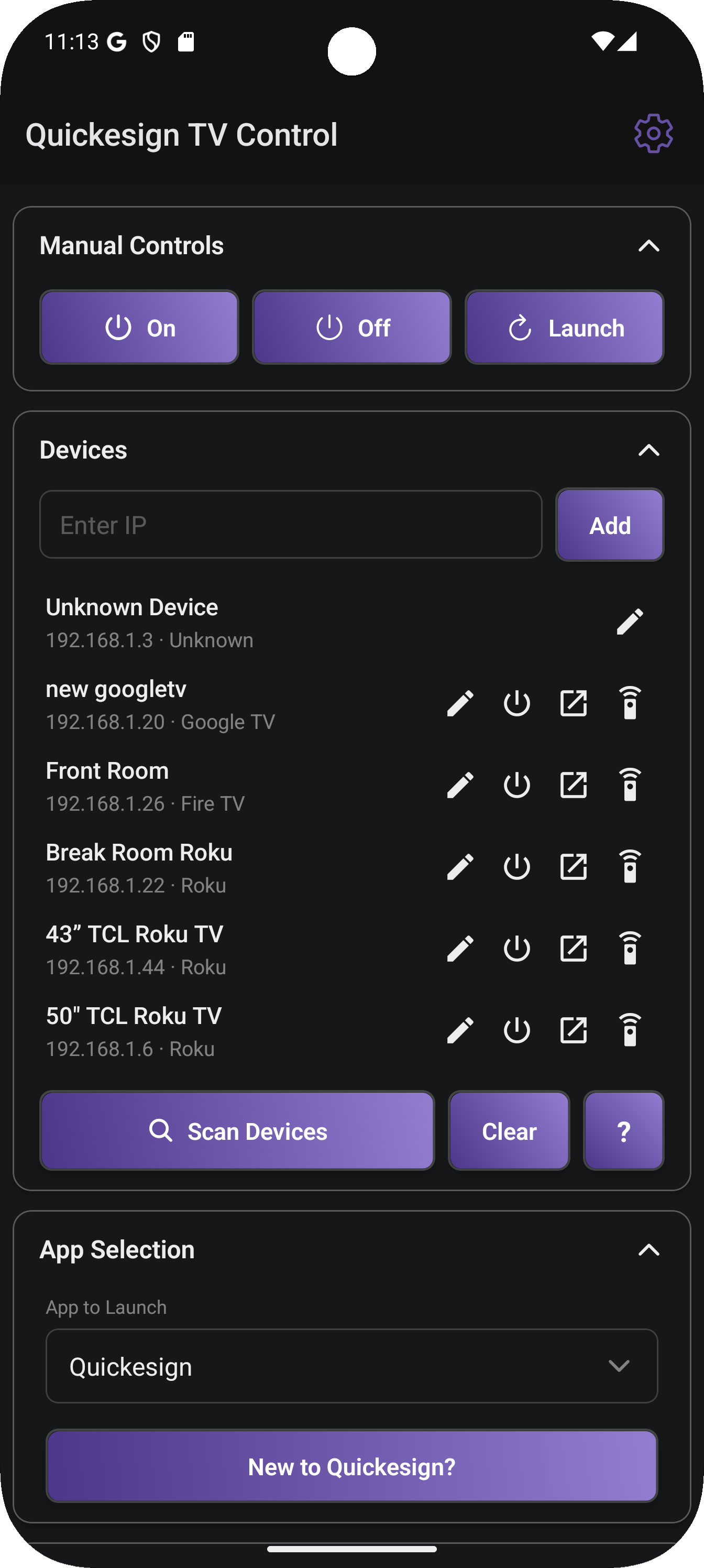
- Discover your TVs automatically.
- Turn all TVs on and off with one click.
- Schedule the TVs to turn off and on automatically.
- Launch Quickesign and make sure it is always running.
- Available on the Microsoft Windows , Google Play Stores, and the Apple Store.
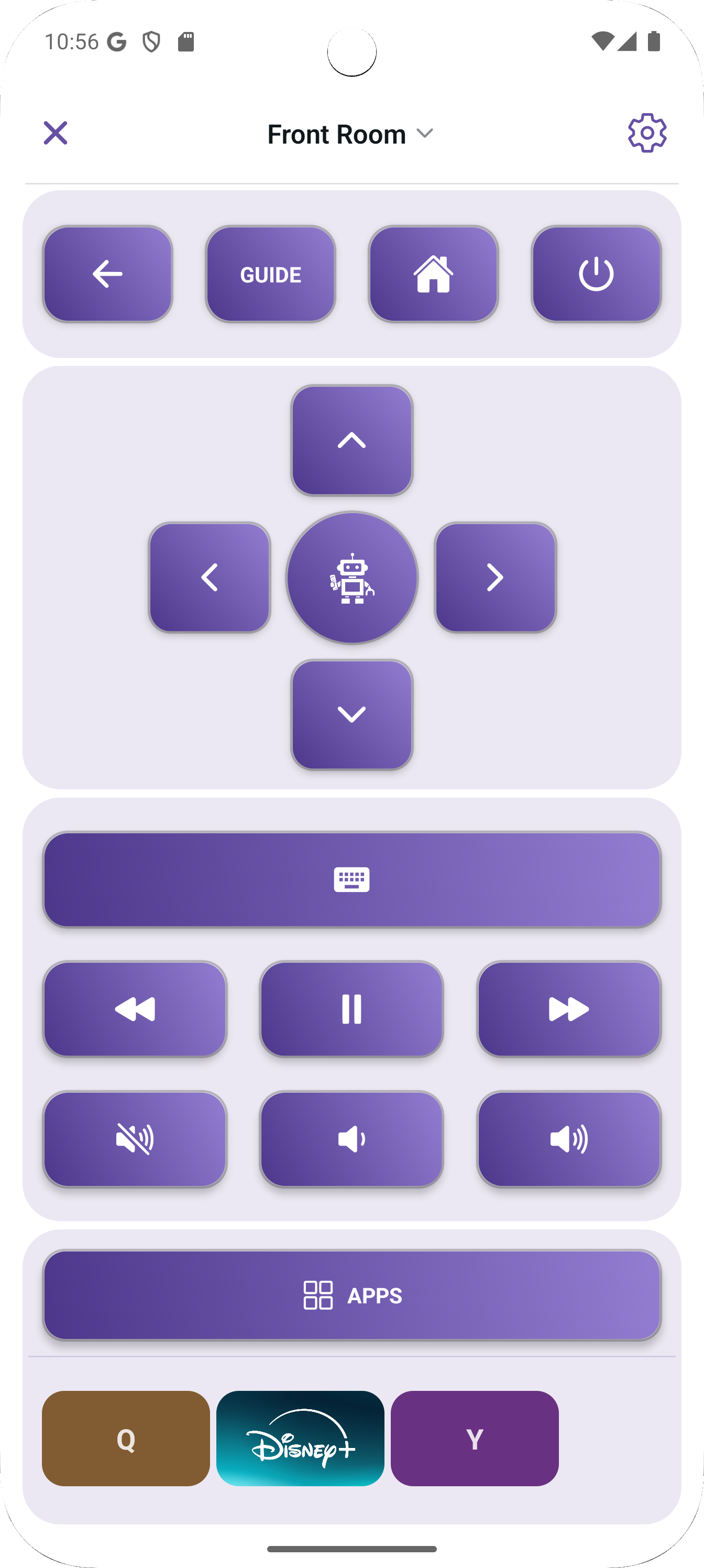
New Features as of March 2026
- Open a Full TV Remote for Roku, FireTV, and GoogleTV.
- Switch between TVs with one click.
- Customize your Remote with your favorite streaming channels.
Important Roku TV Settings
To allow Quickesign to be launched:Settings -> System -> Advanced System Settings -> Control By Mobile Apps , must be Enabled
To allow power on and off of TVs:
Settings -> System -> Power Fast TV Start, this must be On
Google TV
Quickesign TV control also works with Google TV. Each TV must be paired to the app. The TV must be on to pair. Google TVs may require adding a MAC address for power on to work when the TV is in a deep sleep.Fire TV
Quickesign TV control also works with Fire TV. Each TV must be paired to the app. The TV must be on to pair. Fire TVs may require adding a MAC address for power on to work when the TV is in a deep sleep.Downloads
Google PlayApple Store
Windows Store
Download the Updated Windows App from Quickesign's Website:
Download TV Control for Windows
Note - when downloading from Quickesign instead of the Windows store, you will get a warning message that you must accept to install the new version.