
Building directories and wayfinding
Digital Building Directory and Wayfinding Signs
Replace the letter board in your lobby with a directory that is always current. Change a tenant name or suite number in minutes, from anywhere.
From $6 per screen per month. No credit card required for the free trial.
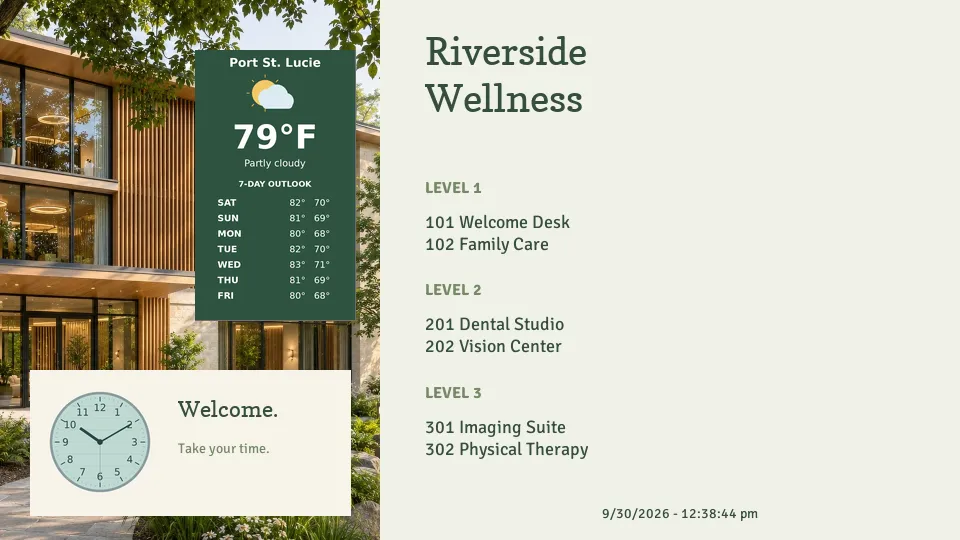
Quickesign is digital directory software that turns a lobby TV into a building directory. Property managers list tenants, suites, floors, and directions, and update the screen themselves when a tenant moves in or out, with no sign company and no waiting.
What to put on your screens
Tenant directory
Company names, suite numbers, and floors in a clean, easy-to-read list.
Floor guides
What is on each floor, with arrows to elevators, stairs, and restrooms.
Directions
Point visitors to the leasing office, conference rooms, parking, and deliveries.
Building announcements
Maintenance notices, elevator work, holiday hours, and events for tenants.
Date, time, and weather
Useful information that keeps the lobby screen worth a look.
Leasing information
Available suites and who to call, with a QR code to the listing.
Directory templates, ready to edit
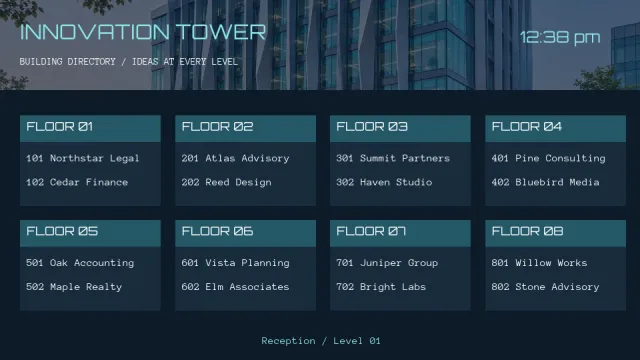
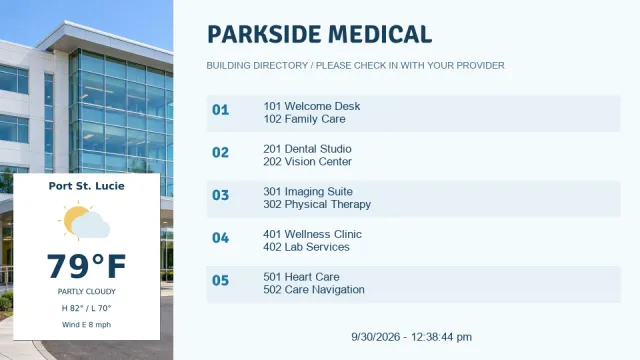
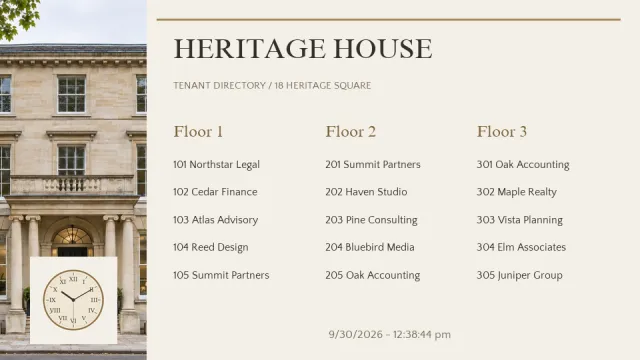
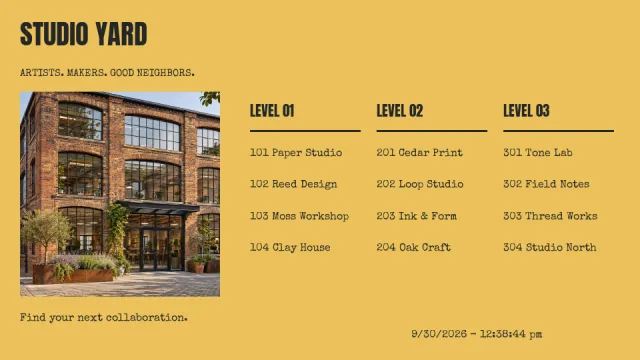
Start from a directory layout in landscape or portrait. Type in your tenants and suite numbers, add your building name, and publish it to the lobby screen.
Where directories work
- Office buildingsTenant and suite directory in the main lobby
- Medical buildingsPractices, doctors, and suite numbers
- Apartment and condo lobbiesBuilding news and resident announcements
- CampusesDepartments and buildings
- Elevator lobbiesA floor guide on each level
- Shopping centersStore directory and hours
Simple to run, easy to afford
Update from anywhere
Change any screen from a web browser or the mobile admin app. No USB sticks and no trips to the TV.
Schedule it once
Set layouts to start and stop by date and time, so the right content is showing without anyone remembering to switch it.
More than a slideshow
Divide the screen into zones for pictures, video, text, a clock, and the weather, and add widgets such as calendars, QR codes, and Instagram.
Design it your way
Start from a template, upload your own images and videos, or design with Canva.
Use the TVs you have
Quickesign runs on low-cost streaming devices and smart TVs. There is no special player to buy.
One screen or hundreds
Manage every screen and every location from one dashboard, with discounts for multiple screens.
Up and running in four steps
Create your account
Start a free trial. No credit card is required.
Pick a template
Choose a layout and add your own words, pictures, and colors.
Connect your TV
Install the Quickesign app on your TV or player and pair it with your account.
Publish
Send your layout to the screen and update it whenever you like.
Frequently asked questions
How do I update the directory when a tenant changes?
Sign in to the Quickesign dashboard from any computer, edit the text, and publish. The lobby screen updates on its own.
Can the directory be on a portrait screen?
Yes. Quickesign supports vertical screens, and many of the directory templates come in both landscape and portrait versions.
Can one account manage several buildings?
Yes. Property managers can run the directories for every building from one dashboard, each with its own tenant list.
How much does Quickesign cost?
Plans start at $6 per screen per month, with discounts for annual payment and for multiple screens. You can try every plan during the free trial, and no credit card is required.
What hardware do I need?
A TV and a supported player. Quickesign runs on Roku, Amazon Fire TV and the Amazon Signage Stick, Google TV and Android TV, Apple TV, LG webOS, and Windows, so you can use affordable devices or TVs you already own.
How do I update my screens?
Sign in to the Quickesign dashboard from any web browser, make your change, and publish. Your screens update over the internet, wherever they are.