
Retail digital signage
Digital Signage for Retail Stores
Promote this week’s deals, new arrivals, and your loyalty program where shoppers make decisions: at the entrance, in the aisle, and at checkout.
From $6 per screen per month. No credit card required for the free trial.
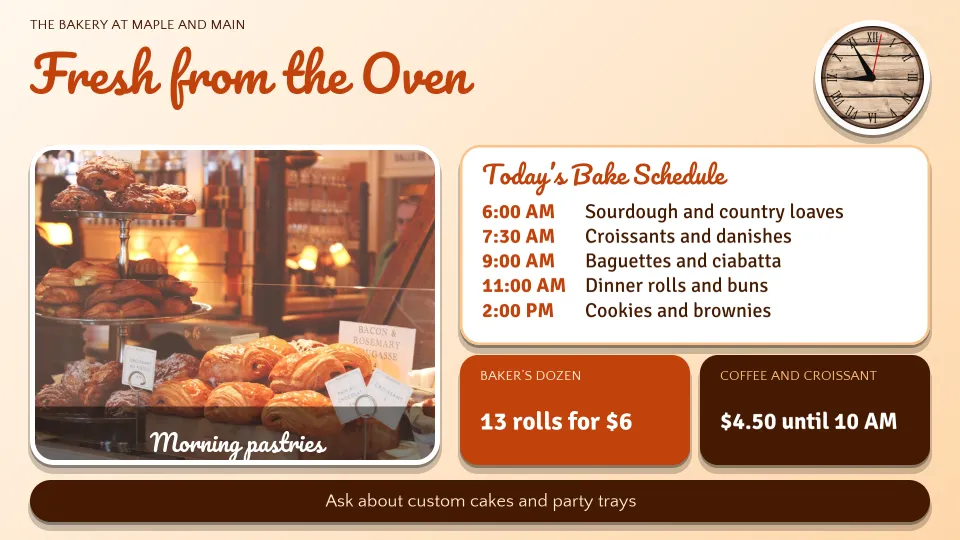
Quickesign is retail digital signage software for shops, boutiques, grocery stores, and markets. It turns ordinary TVs into promotion screens that the owner or marketing team can update in minutes, in one store or in every store at once.
What to put on your screens
Sales and weekly deals
This week’s offers with photos and prices, scheduled to change on their own.
New arrivals
Feature new products and brands the day they hit the shelf.
Loyalty program
How to join and what members save, with a QR code to sign up.
Seasonal promotions
Holiday and seasonal campaigns that start and stop on schedule.
Product videos
Show products in use with your own videos or YouTube.
Store information
Hours, return policy, services, and upcoming events.
Retail templates, ready to edit
Start from a layout made for stores. Add your products, prices, and logo, and publish it to your screens.
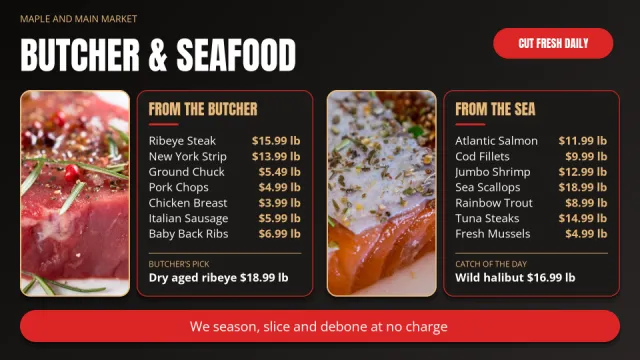 Butcher and Seafood Counter Price Lists with Photo Slideshows and Featured Picks
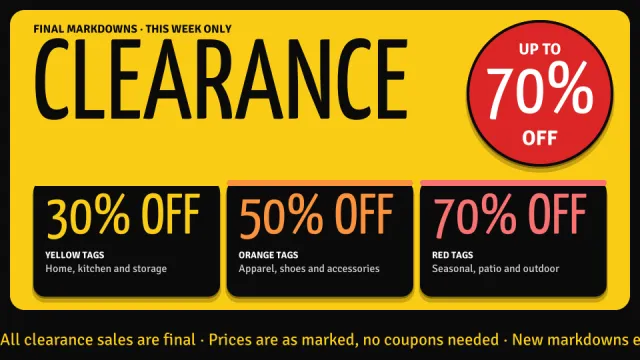 Clearance Event with Giant Headline, Up to 70 Percent Off Badge, Three Tag Tiers and Ticker
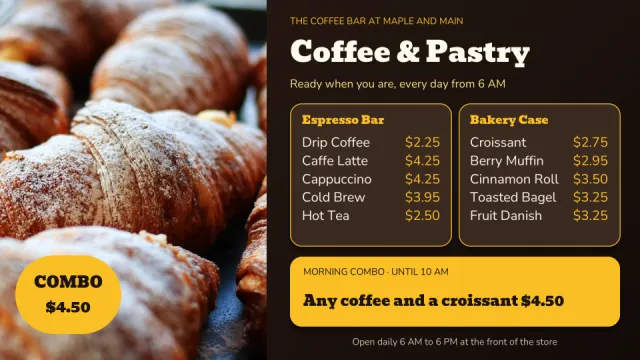 Coffee Bar and Bakery Case Menu with Full Height Photo, Morning Combo and Prices
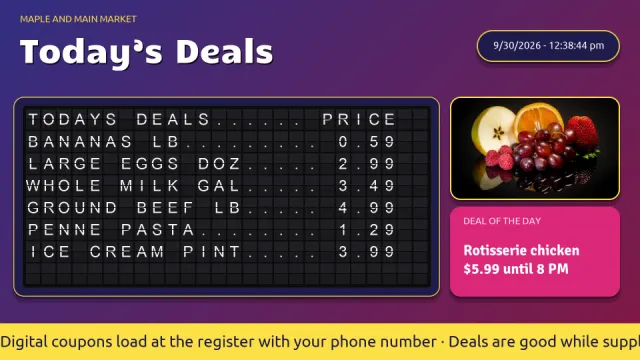 Daily Deals Split-Flap Price Board with Date and Time, Deal of the Day, Photos and Ticker
Where stores put their screens
- EntranceThis week’s deals and seasonal promotions
- Front windowNew arrivals for people passing by
- CheckoutLoyalty program, gift cards, and add-on items
- Departments and aislesFeatured products and brands
- Deli, bakery, and service countersMenus, prices, and specials
- Every storeBrand-wide campaigns with local offers
Simple to run, easy to afford
Update from anywhere
Change any screen from a web browser or the mobile admin app. No USB sticks and no trips to the TV.
Schedule it once
Set layouts to start and stop by date and time, so the right content is showing without anyone remembering to switch it.
More than a slideshow
Divide the screen into zones for pictures, video, text, a clock, and the weather, and add widgets such as calendars, QR codes, and Instagram.
Design it your way
Start from a template, upload your own images and videos, or design with Canva.
Use the TVs you have
Quickesign runs on low-cost streaming devices and smart TVs. There is no special player to buy.
One screen or hundreds
Manage every screen and every location from one dashboard, with discounts for multiple screens.
Up and running in four steps
Create your account
Start a free trial. No credit card is required.
Pick a template
Choose a layout and add your own words, pictures, and colors.
Connect your TV
Install the Quickesign app on your TV or player and pair it with your account.
Publish
Send your layout to the screen and update it whenever you like.
Frequently asked questions
Can I schedule promotions in advance?
Yes. Give each layout a start and end date, and sales go up and come down on their own.
Can I design promotions in Canva?
Yes. Canva is built in. Design with Canva templates and publish straight to your screens.
Can I manage several stores?
Yes. Every screen in every store is managed from one dashboard. Send a campaign to all stores or keep offers local.
How much does Quickesign cost?
Plans start at $6 per screen per month, with discounts for annual payment and for multiple screens. You can try every plan during the free trial, and no credit card is required.
What hardware do I need?
A TV and a supported player. Quickesign runs on Roku, Amazon Fire TV and the Amazon Signage Stick, Google TV and Android TV, Apple TV, LG webOS, and Windows, so you can use affordable devices or TVs you already own.
How do I update my screens?
Sign in to the Quickesign dashboard from any web browser, make your change, and publish. Your screens update over the internet, wherever they are.