
Show a picture of a public web page as a slide, taken again every hour. Contact support if you need it updated more often.
What you’ll need
- The Pro plan or higher.
- The address of a public web page (one that opens without signing in).
Steps
-
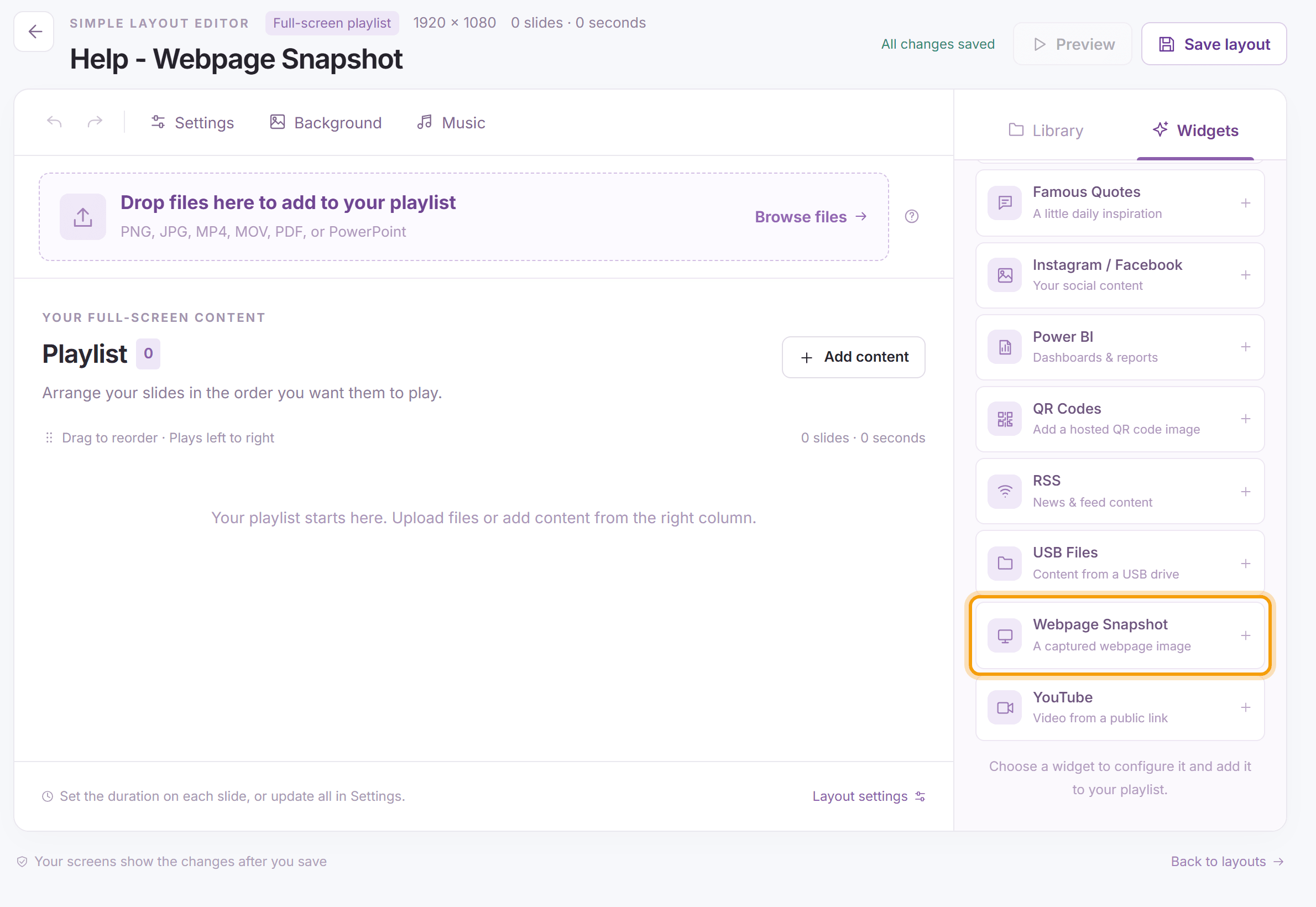
Open the layout (for a multizone layout, select the slideshow zone and click Details on the bar above it), click the Widgets tab and click Webpage Snapshot.
-
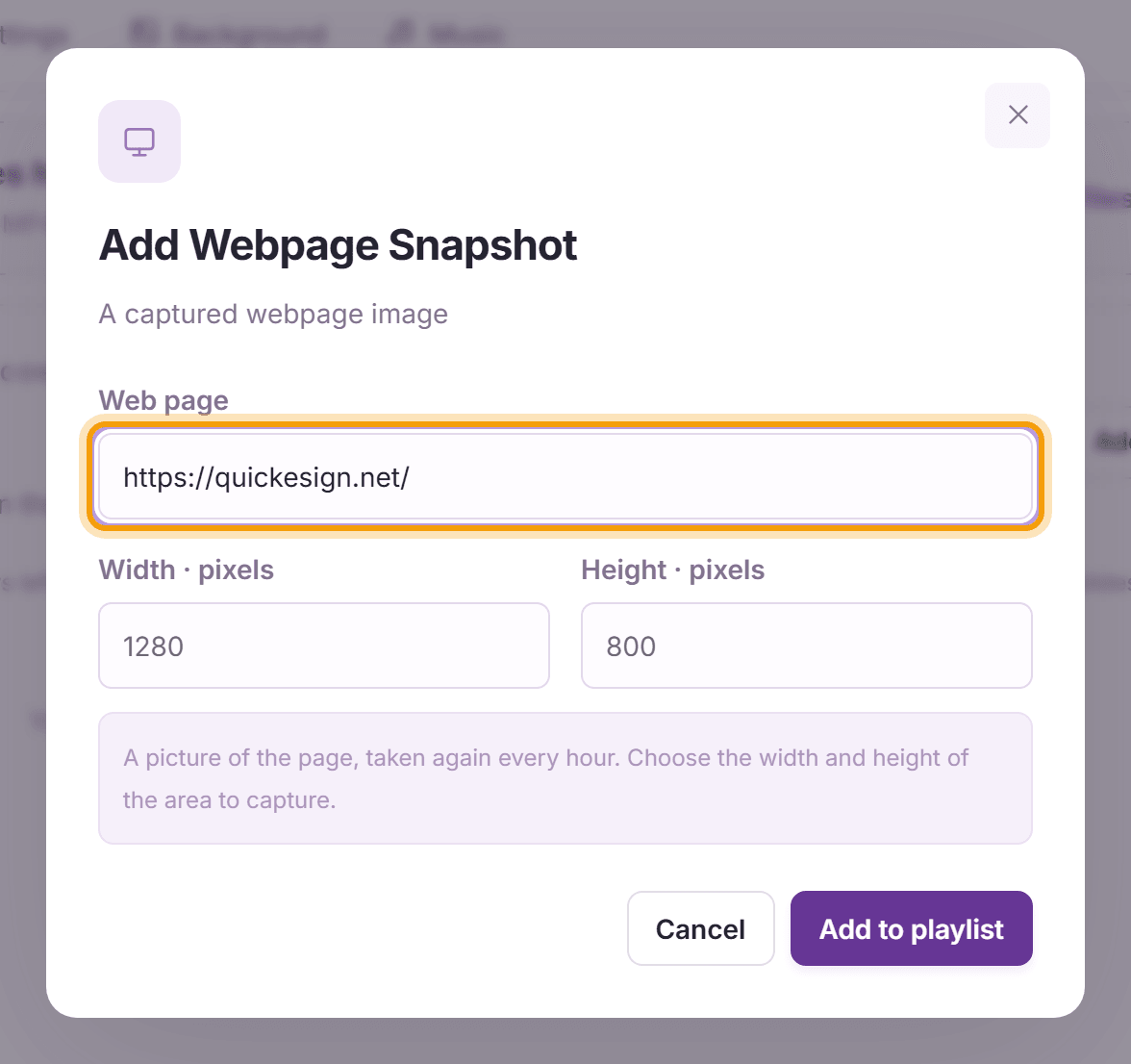
Enter the Web page address. Width and Height set the size of the area that is captured, in pixels, starting at the top left of the page; change them to fit the part of the page you want. Click Add to playlist, then Save layout.


What’s next
Calendar/Google Doc: show a calendar or a shared document.