
Play images and videos from a USB drive plugged into your Roku. This is often the only way to play a large video on a Roku.
What you’ll need
- The Pro plan or higher.
- A Roku TV or Roku player with a USB port, and a USB drive with your images and videos on it.
Steps
-
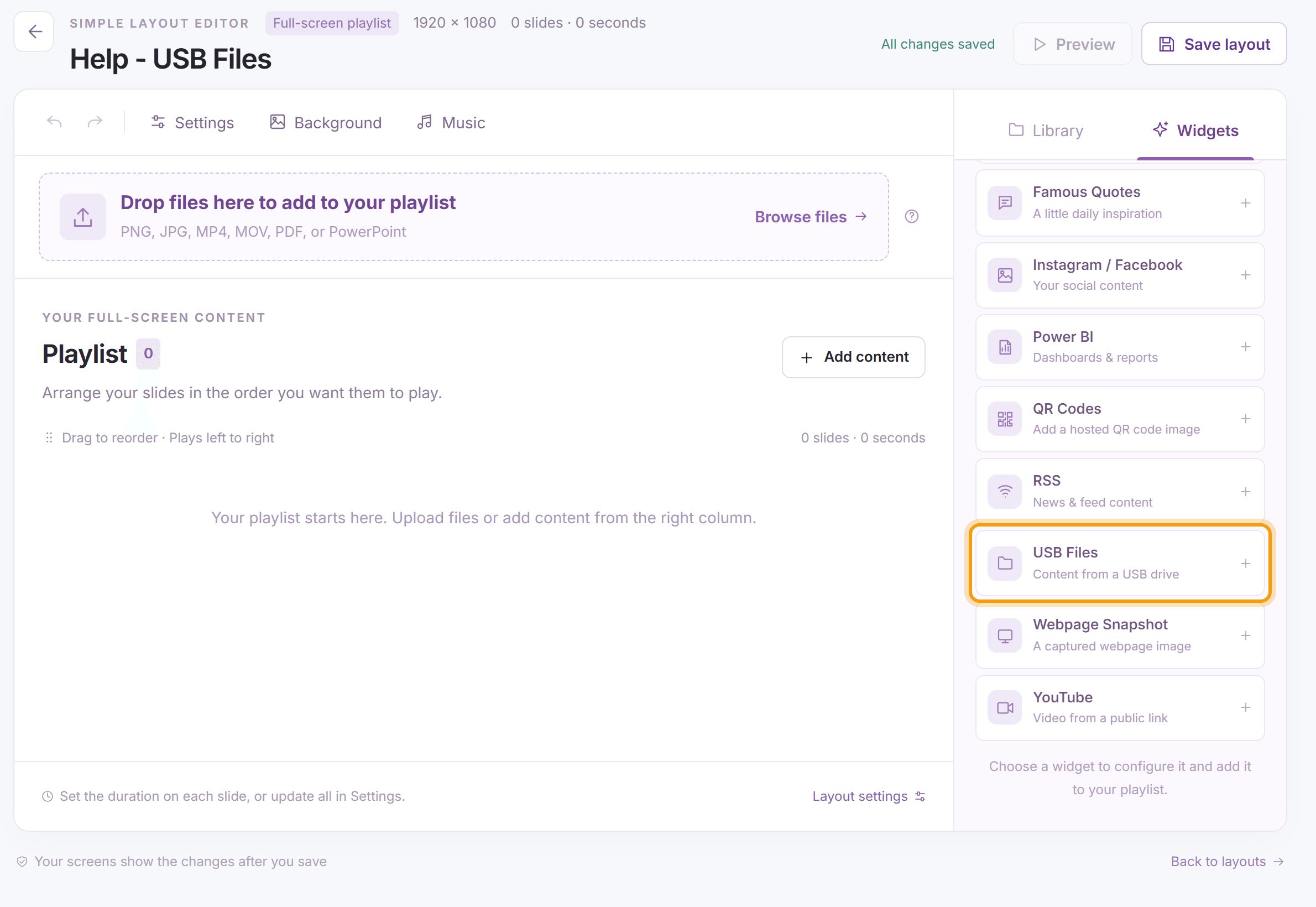
Open the layout (for a multizone layout, select the slideshow zone and click Details on the bar above it), click the Widgets tab and click USB Files.
-
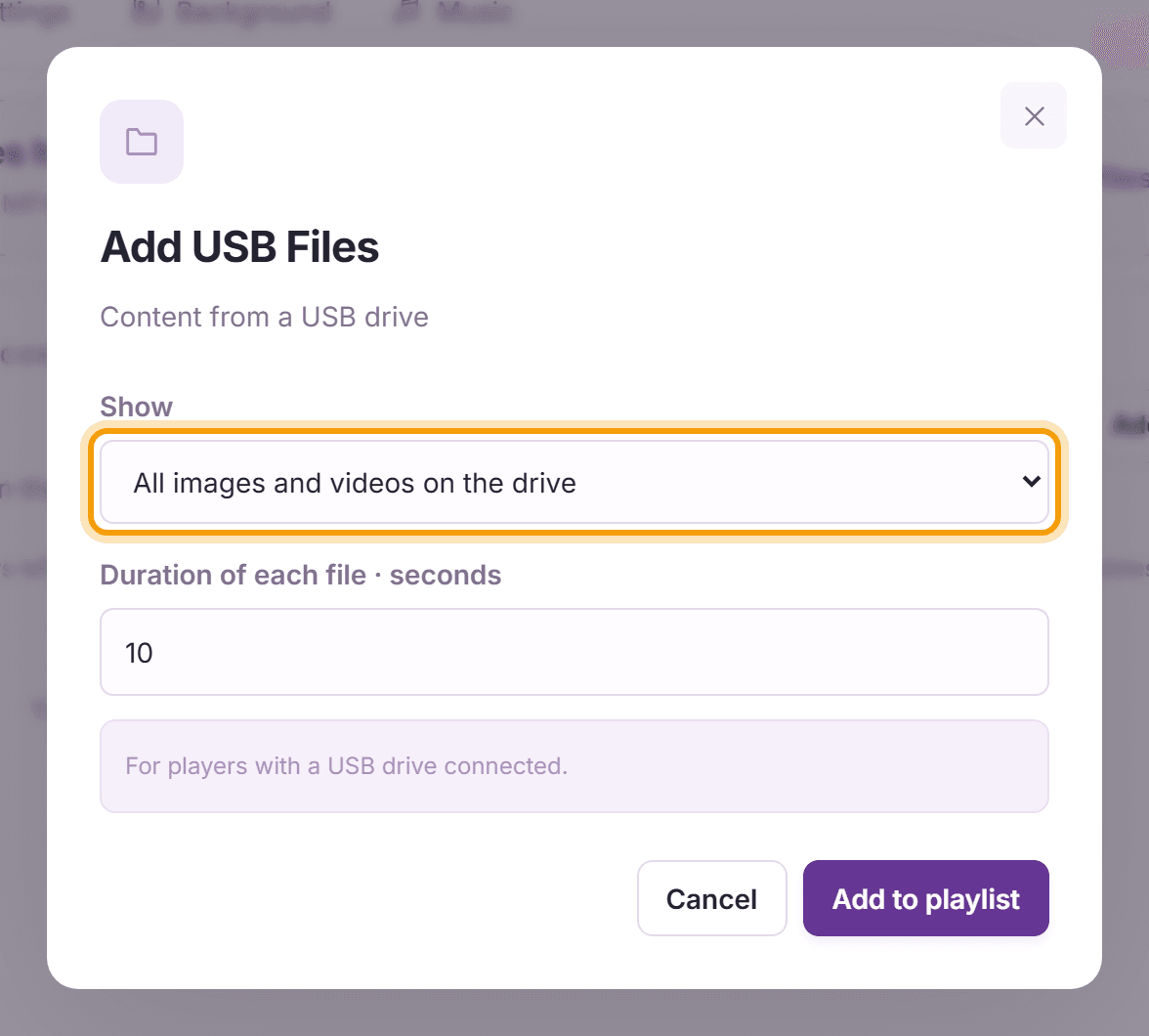
Under Show, choose All images and videos on the drive, or One file and enter its name (a PNG, JPG or MP4 file) under File name on the USB drive. Set the Duration of each file in seconds. Click Add to playlist, then Save layout, and plug the drive into the Roku.


What’s next
Quickesign for Roku: set up Quickesign on your Roku.